EventRadar, the Calendar of Sports Events
EventRadar is a calendar of sports events, where events can be added and categorized based on sports. I have implemented a simple user registration and login, so that only signed-in users can make changes to the calendar. I developed it in PHP, Symfony, TWIG (with Bootstrap 5), and MySQL. When the application was still available publicly, I had deployed it to Heroku. Back then, the MySQL database was running on a free tier of ClearDB (which provides an easy add-on for Heroku).
A Quick Tour of the Features of EventRadar
EventRadar Features
List of Sports Events
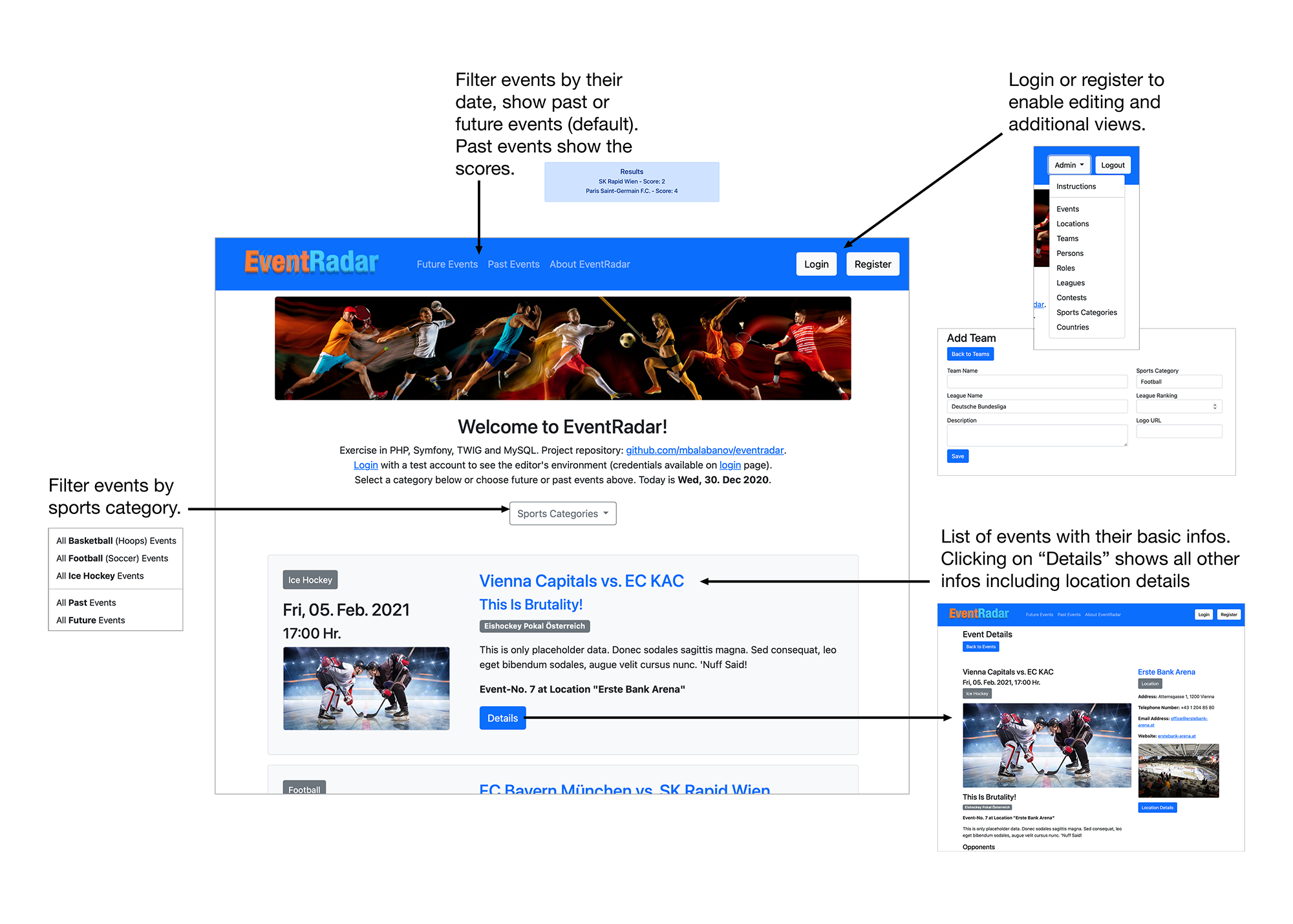
Visitors are presented with a list of upcoming events. They can filter the events be category or by date (future or past events). Selecting "Details" presents them with further information about the event including the contact infos of the event's location.
Regular visitors cannot make any changes to the event data, this is reserved to users who have registered and signed in.
Event Details
Each event has a separate details page showing the marketing slogan, the dates and the teams playing. A longer text is provided with a description. This can be used to describe the circumstances and challenges the participating teams face. If an event is over and the results are entered, then the scores are displayed.
Clicking on the team name shows the team details including the team members. In this example most teams only contain placeholder data, only Rapid Wien, FC Bayern München and Sturm Graz feature real team information and player data.
Editing Content
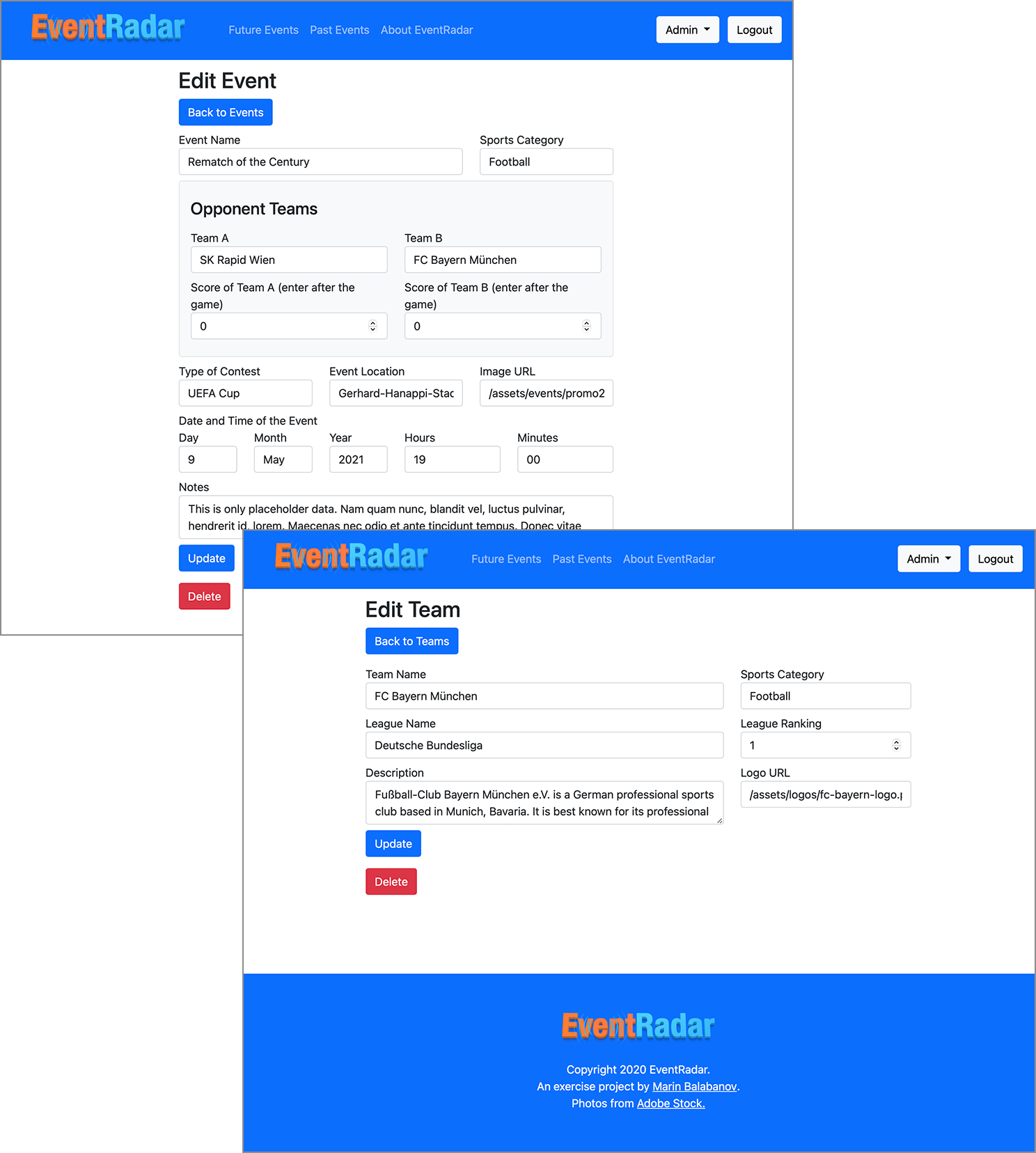
When a user is logged in they can click on the 'Admin' menu in the top right corner of the navigation. The menu lists all the available views. These include events, locations, teams, persons (team members), roles, leagues, contests, sports categories, and countries. They can access the instructions, for more information on how to make changes.
Event Calendar Concept
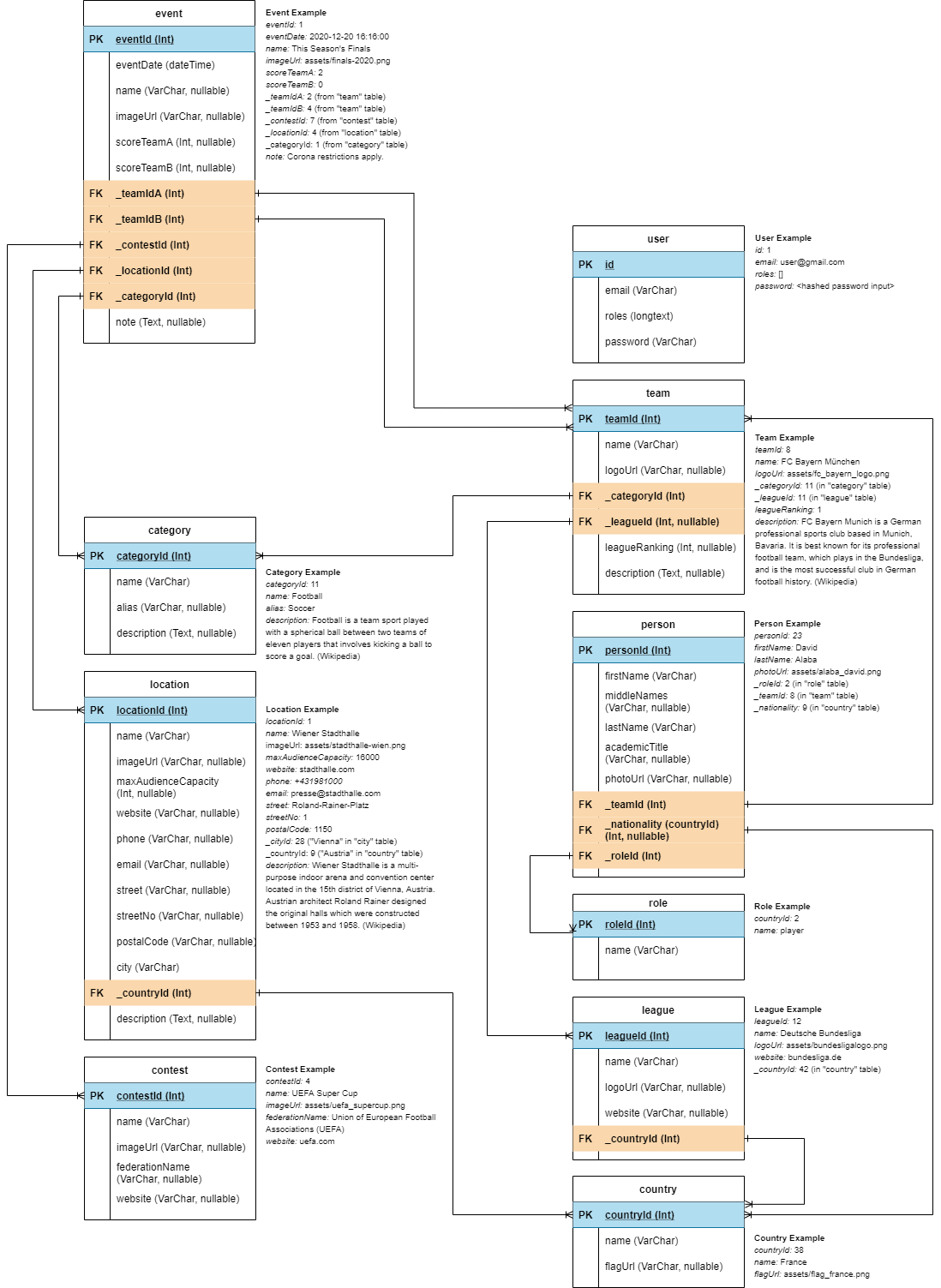
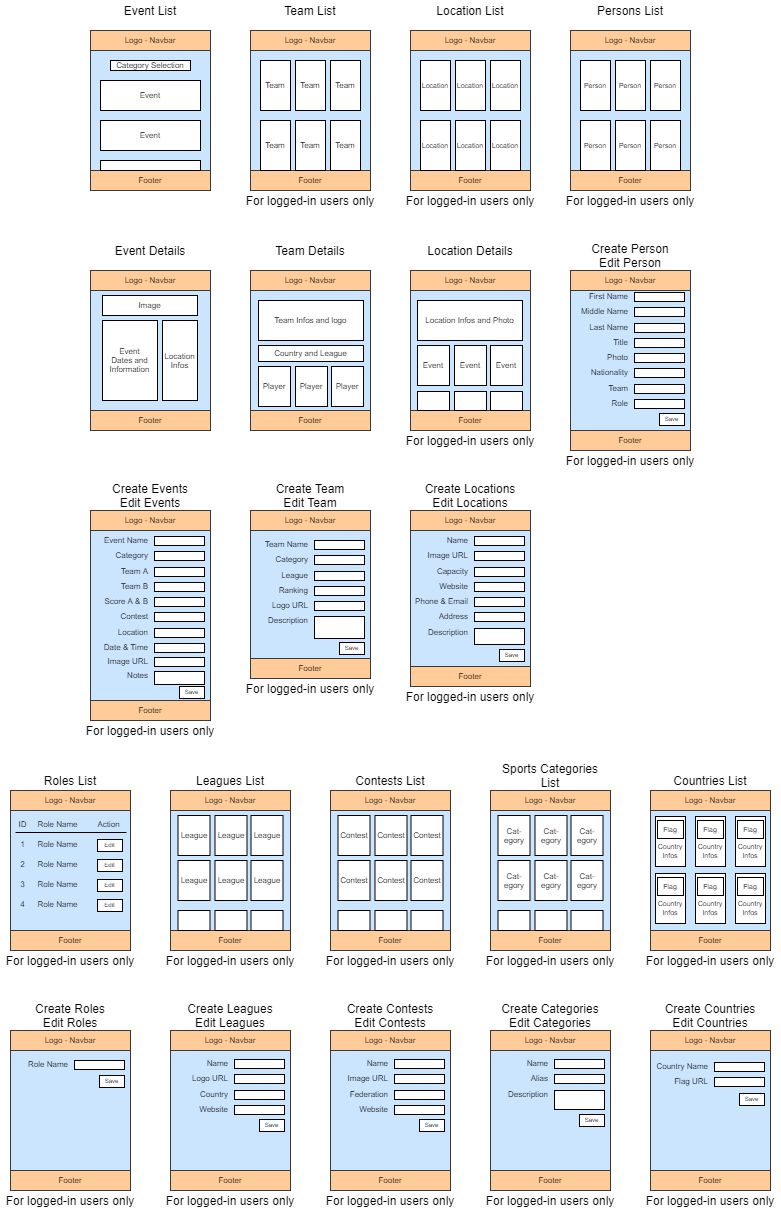
This is the application concept. This consists of a sitemap, wireframes of each view and a database model.
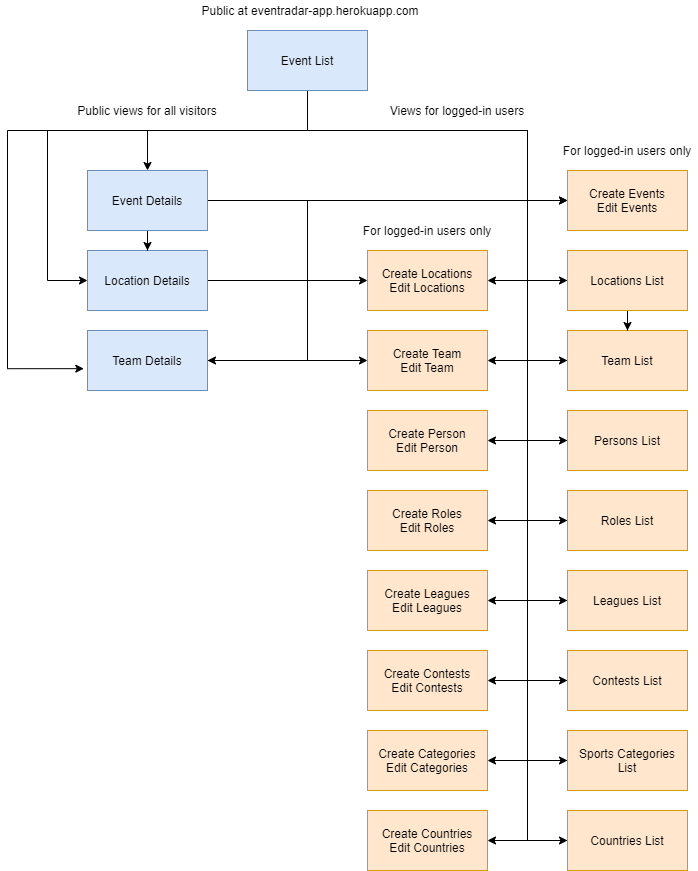
Sitemap
The sitemap shows the possible paths through all the different views.
Wireframes
The wireframes describe each view and its individual functions.
Database Model
The DB model describes all the tables, their items and how they relate to other tables.