From Zero to Koala
Learning to Draw for the Commodore 64 to Compete at Transmission64
I joined the demogroup VCC to make graphics for their Commodore 64 demo without ever having drawn a pixel for this machine. Now my chunky images are part of a quirky Ski Jumper demo, released at the remote demoparty Transmission64 in late November. I learned more about retro art, collaboration, and community than I expected. This is my making-of and demoparty report.
November 2025
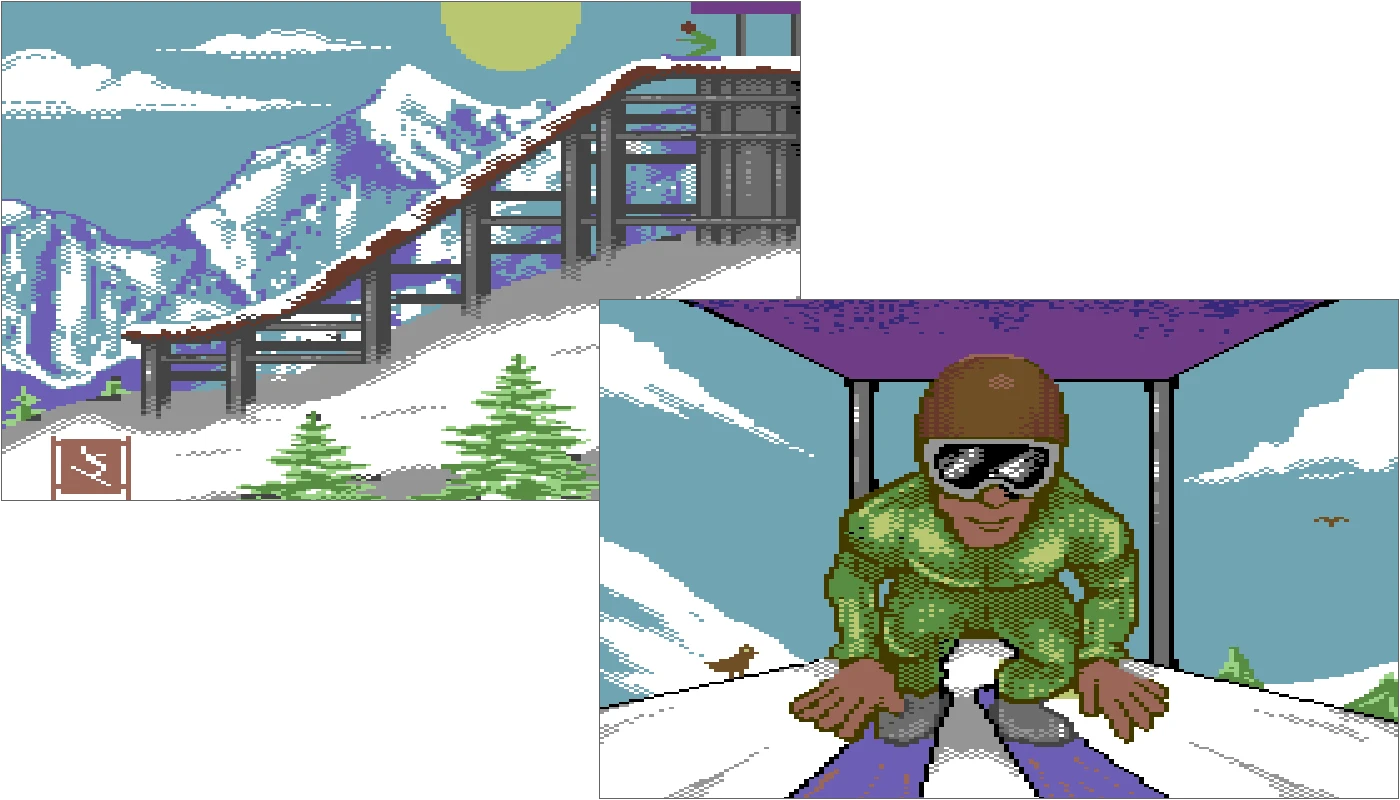
At the Evoke demoparty in Cologne in August 2025, I did something a bit reckless. I committed to working on graphics for demos with Pararaum. The only catch? Their platform of choice was the Commodore 64. This was the most popular 8-bit home computer of the 1980s. I've always had a deep admiration for the C64, but I didn't really have any first-hand experience creating graphics for it or programming on it.
Of course, I knew of the Koalapad and Koala Painter, the famous drawing tablet and software used by pixel artists of the era. In fact, my demoscene handle Bala-Koala was inspired by it. But truth be told, my affection was really for the Atari 8-bit version. I'd never actually drawn a single pixel on the Commodore's hardware.
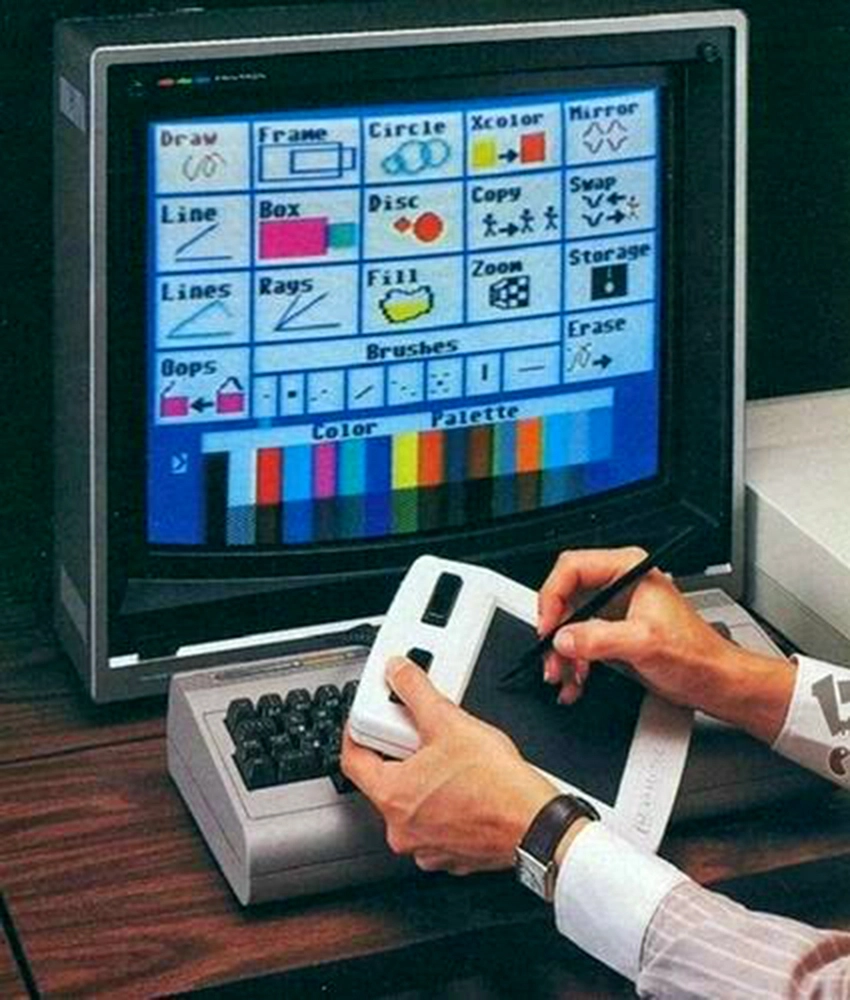
The original Koala Pad was the inspiration of my demoscene name Bala-Koala. This was probably one of the earliest widely used graphics tablets, released in 1983 and available not only for the Commodore 64 but also for the Apple II, TRS-80 CoCo, Atari 8-bit computers, and IBM PC compatibles.
So when Pararaum and his collaborators, Logiker and Wil, both members of the Vintage Computing Carinthia, told me they were making a quirky new demo with PETSCII art, sprites and multicolor images, I had to get up to speed fast.
Discovering Multipaint
I wanted to use modern tools rather than emulating a 1980s workflow, and soon found Multipaint, a lightweight but powerful cross-platform painting application specifically designed for retro systems. It enforces each machine's limitations, which, as I quickly learned, are both infuriating and fascinating. It was a bit of a chore to get to run on modern macOS because it used unsigned, unnotarized code and required the Java 17 runtime.
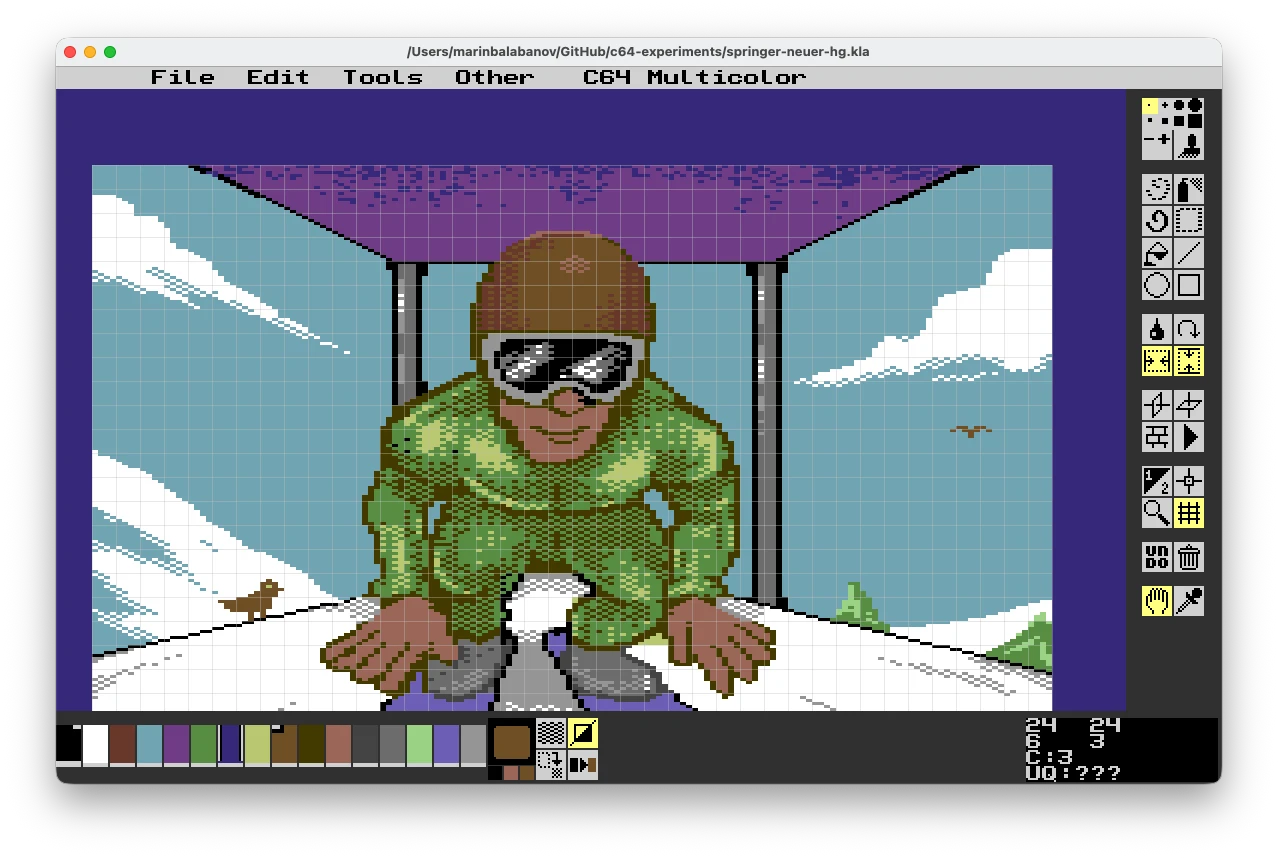
Multipaint allows you to draw using the color limitations of
the Commodore 64 and with rectangular pixels.
The C64 has two bitmap modes: hi-res and multicolor. In the latter, every pixel is wider, and color choices are brutally constrained. Each 8 x 8 block can use only four colors out of an overall selection of sixteen colors. I wanted to paint in this mode.
But once I got my head around it, I started to enjoy the puzzle of it all.
Technical Info: C64 Graphics Modes
Hi-Res Bitmap Mode (320 x 200)
- 1 bit per pixel → 2 colors per 8 x 8 cell
- One global background color shared by the whole screen
- One foreground color per cell (chosen from 16 total)
- Result: very sharp detail, minimal color variety
Multicolor Bitmap Mode (160 x 200)
- Pixels are rectangular (2 x 1), giving a "chunkier" look
- Up to 4 colors per 8 x 8 cell, but one has to be the background color used in the whole image
- Result: richer color, but lower horizontal resolution
Artists often use both creatively for different screens, e.g. hi-res for crisp logos or text, multicolor for backgrounds and illustrations.
1. The Winter Games Ramp
My first task was to recreate and improve a ski jump scene from Winter Games, the 1985 sports title by Epyx. Pararaum sent me a screenshot (horizontally flipped) showing a side view of the snow ramp.
I imported it into Pixelmator Pro and resized it to 160 x 200 pixels, which immediately distorted the proportions because modern computers use square pixels, while the C64's multicolor mode uses rectangular ones. I reminded myself that once imported into Multipaint, the proportions would stretch back to normal.
Pixelmator's layers helped me separate mountains, ramp, snow piste, and trees. I didn't worry about the color limits yet; I'd let Multipaint yell at me later. And it did... with strange miscolorings over every 8 x 8 cell that exceeded the palette rules. After several rounds of cleanup and minor adjustments, I finally had a proper image.
Multipaint conveniently exported the art as a .PRG file, so I could preview it in VICE, the C64 emulator or, for the purists, on a real-life Commodore 64. Pararaum, however, needed the graphics as Koala Painter (.KLA) files for his workflow, so I exported them accordingly. After some back-and-forth, the first background was ready. I was starting to earn my demoscene name!
Pararaum had created a clever Gitlab and Docker pipeline for sharing a demo's code, assets and even building the Commodore's executable files. This made our collaboration much easier as we worked in parallel on the our individual parts of the demo. This would not have been possible back in the 1980s on a real Commodore 64.
While Multipaint provides the functionality to save individual steps of the drawing process, I only discovered this after finishing the ramp. So I don't have a full step-by-step record of the process, but here are the key stages of creating that first C64 graphic.
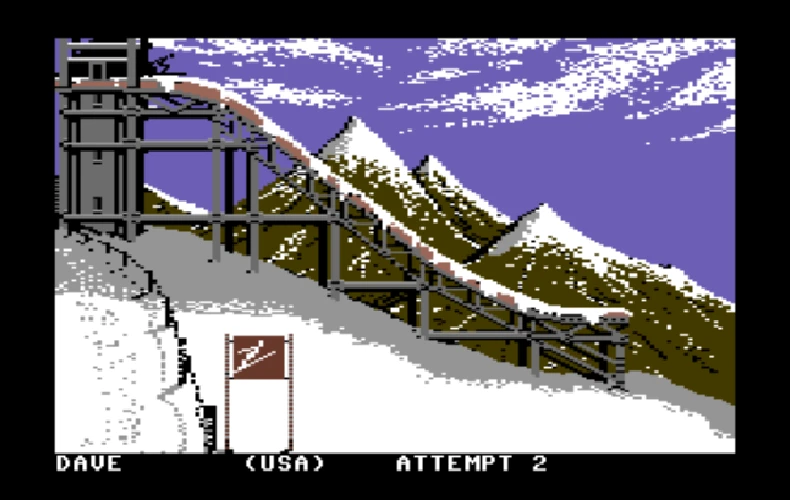
This is the original image from the Epyx 'Winter Games'. We
used it as inspiration for the ramp.
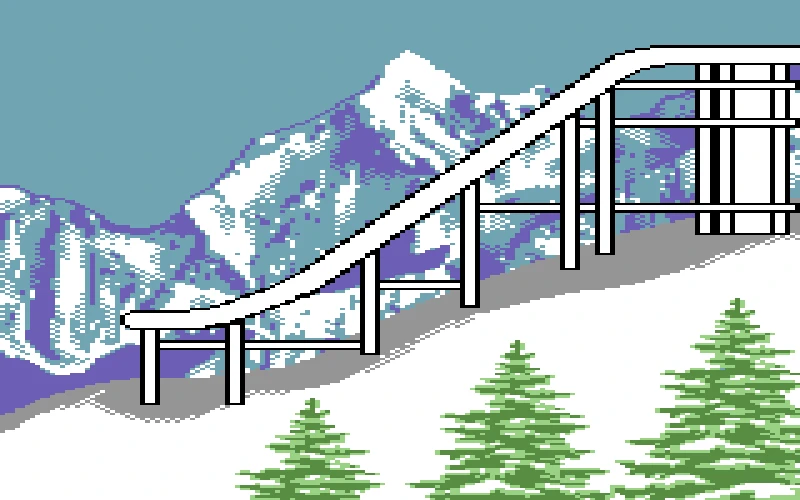
Unfortunately, I didn't capture any earlier step but this
is the background image I drew based on the original 'Winter
Games'.
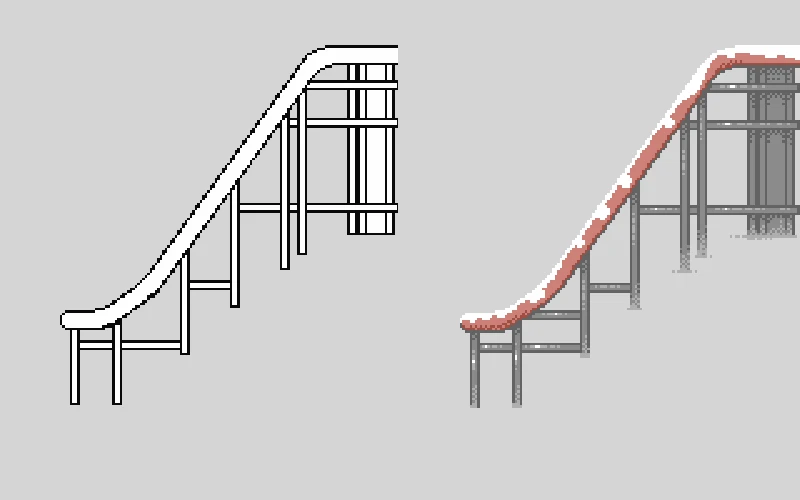
I drew the ramp in Pixelmator Pro and distorted it to fit
the C64's pixel aspect ratio.

My first completed graphic for the Commodore 64.
2. The Top-Down Ramp
Next came a top-down view of the ski ramp. The temporary image was abstract, geometric, and already integrated into Pararaum's code with moving sprites. I didn't think I could change the composition much.
I imported his placeholder image into Pixelmator, layered my new elements over it, and added some top-view trees by copying and pasting them across the snow. It wasn't my favorite work (it lacked the charm of the first image) but it did its job and maintained continuity.
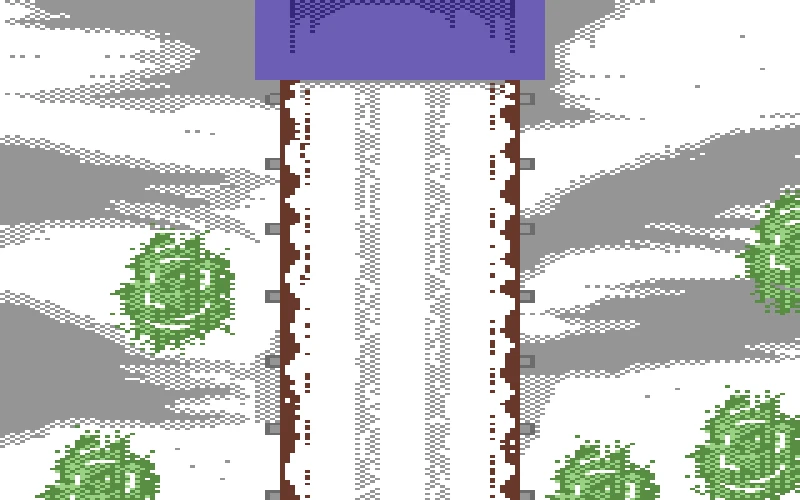
This graphic, the ramp seen from above, was relatively easy to
make.
3. The Ski Jumper Close-Up
Somewhere along the way, I decided the demo needed another image to display between the two. I thought there really should be a close-up of the ski jumper waiting to take off. I switched to Procreate on the iPad, drew a clean grayscale figure with clear contours, and exported it as a PNG.
Back on the Mac, I resized it to 320 x 200, then horizontally compressed it to 160 x 200 to match C64 proportions. To simplify the shading, I used ImageMagick to dither it into three grayscale levels:
magick skijumper.png -colorspace Gray -ordered-dither o4x4,3 -alpha off skijumper-dithered.pngImporting it into Multipaint expanded the pixels horizontally, restoring the right proportions. The dithered shading translated beautifully to the C64 palette. I recolored the jumper's outfit, added a simple background, and sent it off. Pararaum liked it.

Step 1: I started drawing the ski jumper in Procreate on my
iPad. I first sketched the rough outlines and then refined
them into cleaner shapes.
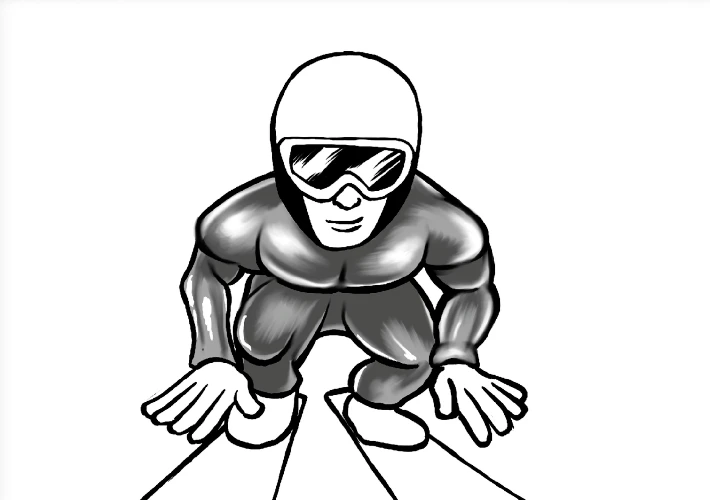
Step 2: I added more details and started working on the
shading.
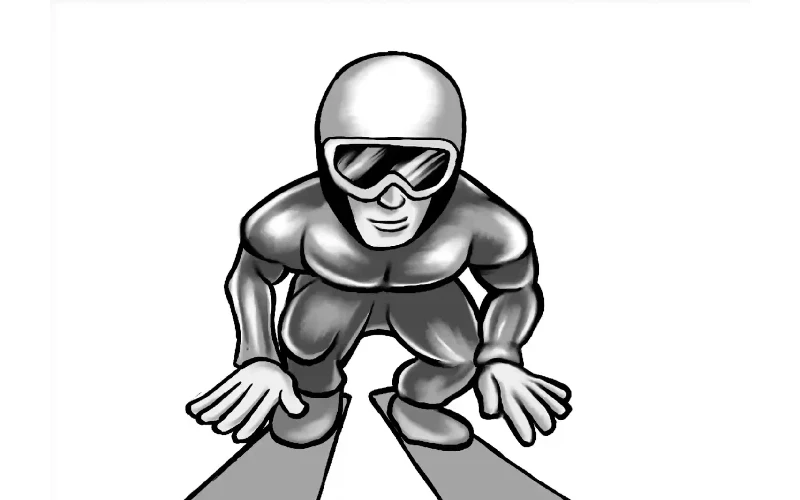
Step 3: I completed the grayscale image of the ski jumper
and was ready to convert and dither it for the C64.
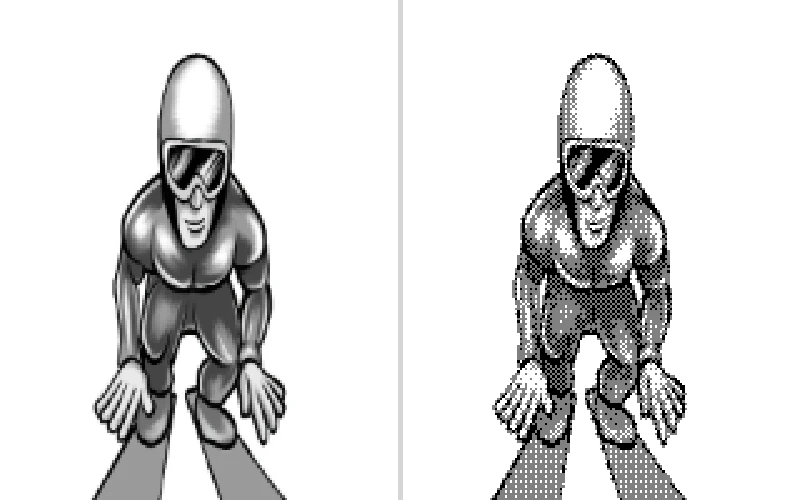
Step 4: Since the C64 has rectangular pixels, I squashed
the image to half its aspect ratio and reduced its
resolution to 160 x 200 pixels. Then I dithered it to four
gray levels using ImageMagick.
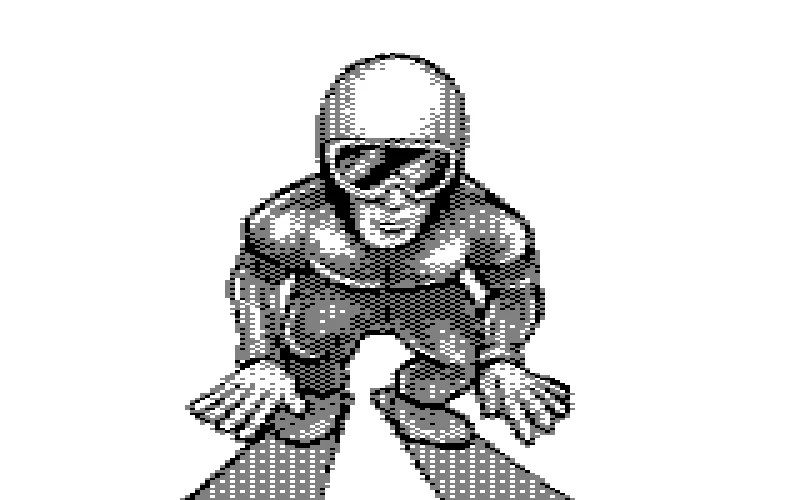
Step 5: I imported the dithered image into Multipaint,
where it was expanded back to the correct proportions. I
then adjusted the colors to match the C64 palette.
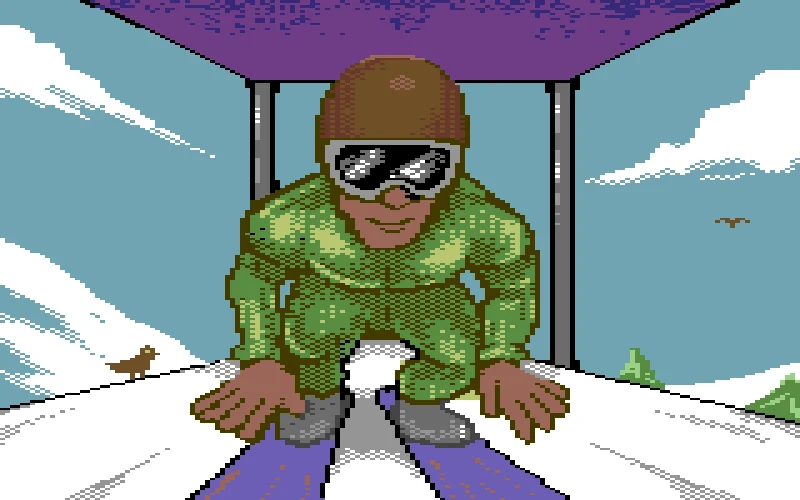
Step 6: I cleaned up the image in Multipaint, drew a
background, and colorized it with the C64 color palette.
Then I completed the final adjustments to the ski jumper
sprite, ensuring it looked great on the C64.
Sprites and Animation
Next came the sprites, the small, movable graphics that animate independently of the background. Pararaum explained that the C64 supports two sprite formats:
- Hi-res sprites: one color + one transparent.
- Multicolor sprites: one transparent + one unique + two shared colors (global for all sprites).
Since I work on a Mac, there aren't as many tools available to work on retro sprites as on Windows. I used the excellent web-based SpriteMate tool. It's intuitive and even exports in SpritePad 2.0 (.spd) format, which fits Pararaum's workflow.
After some trial and error (and one big mistake where I made separate sprite sets for each character) I created a cohesive sprite sheet featuring animated ski jumpers seen from both top and side views, plus a few emotional flourishes and even a mischievous animated snail (please don't ask... watch the demo below).
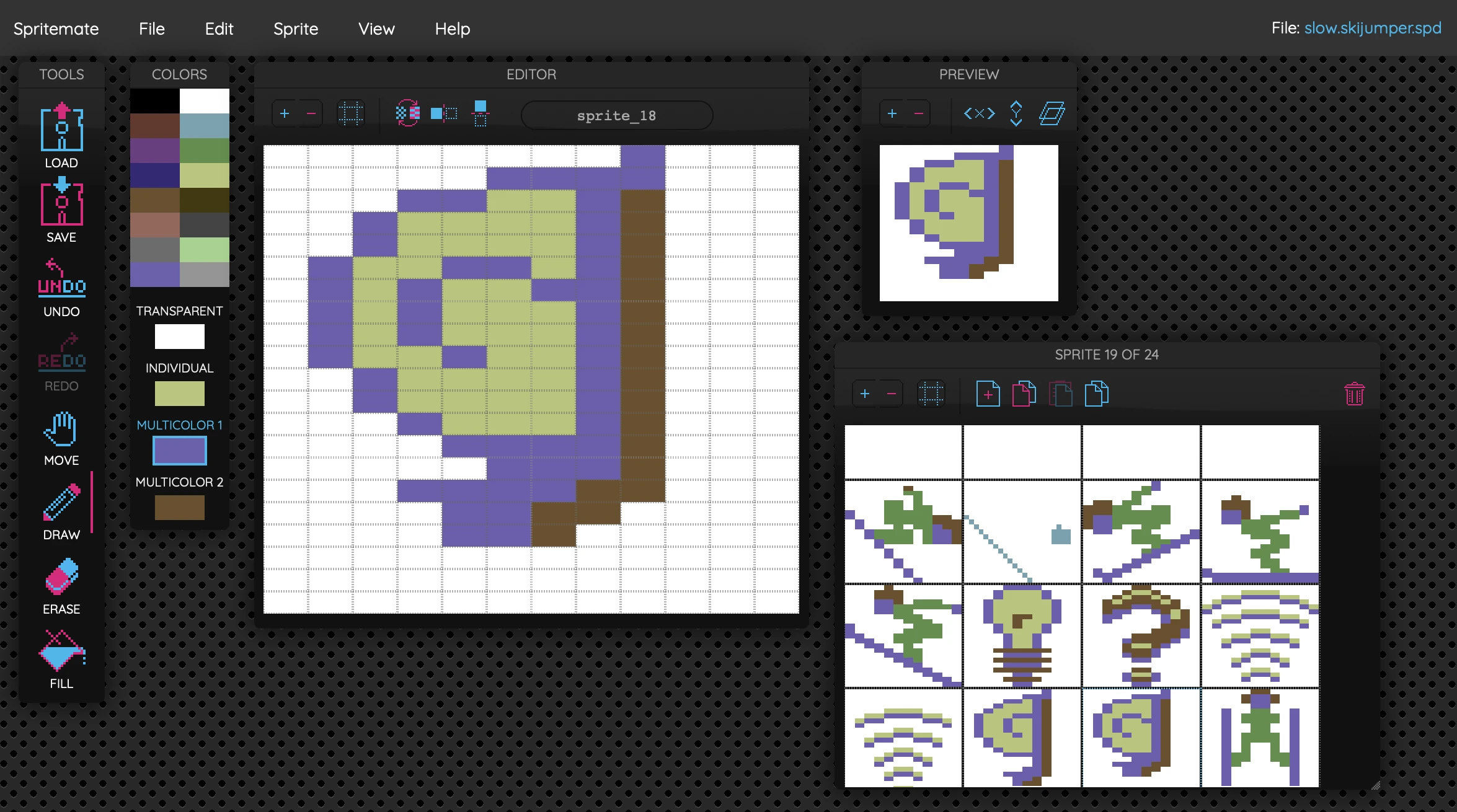
Spritemate runs in the browser and can export to the correct
formats needed for the C64.
Pixels and Patience
Learning to make C64 graphics was a bit like a crash course in creative restraint. I learned that rather than fighting the machine, it is far better to "collaborate" with it. I had started to be curious at Evoke but this turned into a real appreciation for the craftsmanship of 8-bit artists. Every color, every pixel, every 8 x 8 block is like a negotiation between vision and limitation.
And thanks to Pararaum's encouragement and Multipaint's elegant balance of modern UX and vintage limitations, I can now say I've officially drawn for the Commodore 64. I loved every chunky, pixel-wide minute of it.
With my work on the demo done, Pararaum, Logiker and Wil got to work on finishing the demo. The actual date of Transmission64 was coming ever closer and so was the submission deadline.
Transmission64 2025: Going Live with VCC
Transmission64 2025 took place on Friday, November 28, and Saturday, November 29, as a fully remote C64 demoparty. The motto was "The Purrfect Party". It was streamed live on Twitch, hosted in a refreshing way by Ziona and Slaygon. This was my first time watching but they hosted very confidently and professionally like they had a lot of practice in this kind of event. If I understood it right, then the organizers are all affiliated with the demogroup Padua. The rest of the orga team consisted of Aggressor, Anonym, Burglar, FRaNKy, Unlock. And lemme tell you, it was a well organized event!
The actual submissions and the voting were handled via the XParty system. This gave the whole event a very smooth, modern flow despite the thoroughly oldschool 8-bit focus. If you like, you can watch the full recording of Transmission64 2025 here on Youtube (please note, its around seven hours long).
Except for the competitions, the remote party featured chip tunes music, the talk Transfer your Commodore 64 Disks with Mason of The Transfer Team and an interview with Gideon Zweijtzer creator of the Ultimate 64.
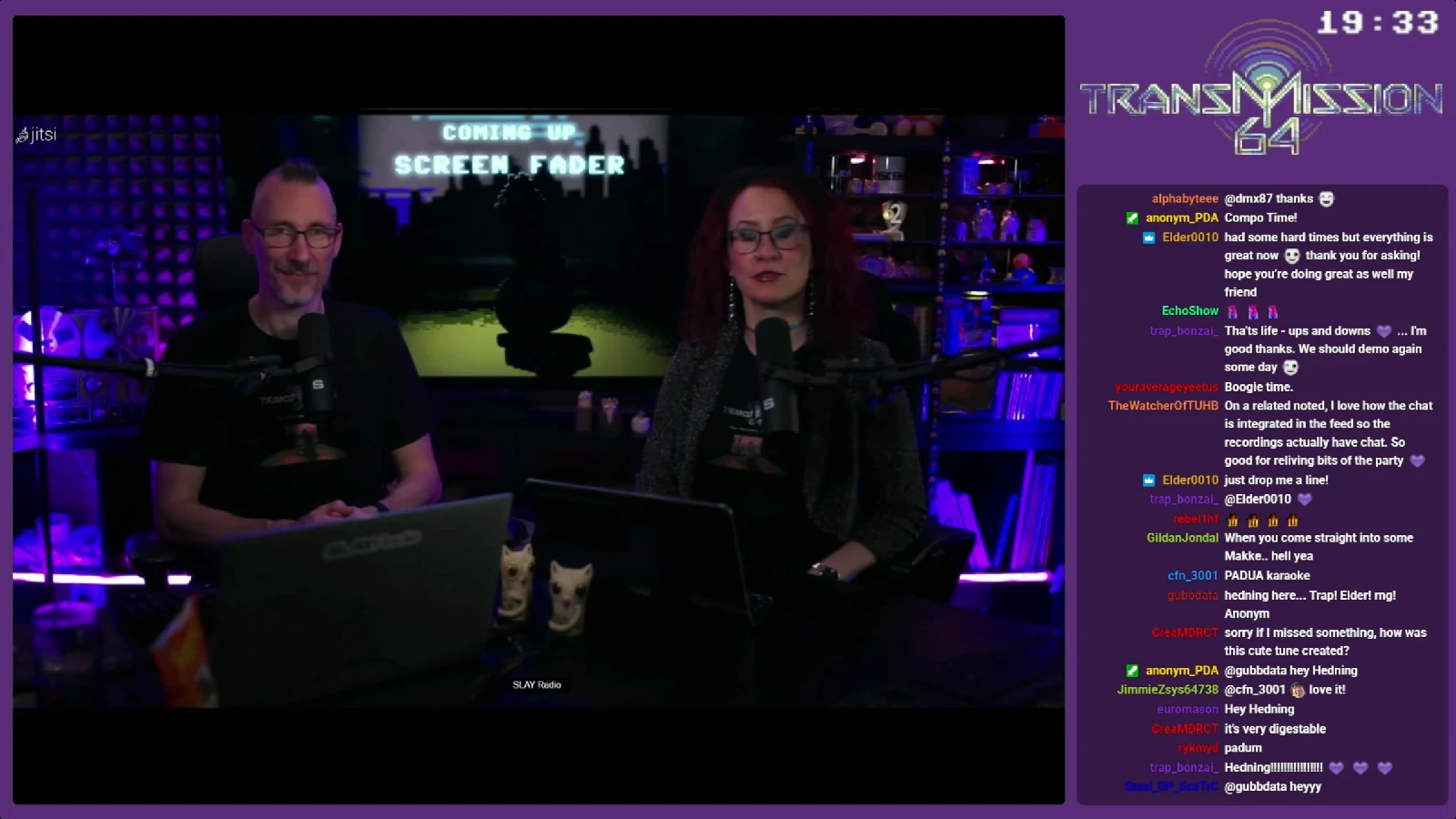
Transmission64 was broadcast live on Twitch, hosted by Zion and Slaygon.
For us at Vintage Computing Carinthia (VCC), this was the big moment: the first public outing of our winter-sports-meets-sci-fi fever dream was at hand!
The Story of Ski Jumper from the Ashes
Our main submission was the demo Ski Jumper from the Ashes, a narrative-driven production. This is something still relatively rare in a scene that often favors disconnected, effect-heavy sequences. The demo mostly consisted of animated PETSCII scenes by Logiker, with two sections featuring my multicolor bitmap graphics.
The story follows a character who literally rises from the dead in a humorous winter landscape. This is accompanied by a C64 SID rendition of the theme from The Terminator. Once reanimated, our protagonist takes up ski jumping. As he sets off down an enormous ramp, he is unexpectedly overtaken by a snail. That tiny moment of humiliation pushes the ski jumper to go all-in on a gigantic leap that sends him soaring out of the atmosphere and into space.
To a SID chiptune version of "Major Tom" (originlly by Peter Schilling), the jumper floats across the starfield with debris and objects streaking past... until finally colliding with a satellite and getting his head stuck inside.
It's a wonderfully whimsical, playful little story, and all the credit for the original concept goes to Logiker, Pararaum, and Wil. The latter two worked on the demo relentlessly right up until the submission deadline on Friday. Their diligence paid off. They made it in time.
Ski Jumper from the Ashes (direct link to Youtube)
Beside Pararaum, Logiker, Wil and myself, these were the other team members who contributed to the demo:
- BSC - Music
- DamienG - Graphics (charset)
- Nordischsound - Music
- Praiser - Music
Only after Transmission64 was over did I do what I probably should have done earlier: I typed "ski jumper" into the search field on Demozoo and discovered that the little guy had already starred in more than half a dozen productions by members of VCC and friends, including the PETSCII graphic "Ski Jumper in Space again" and the intro and graphic combo "Ski Jumper Full Of Energy". Logiker told me later that Baracuda came up with the original idea. Looks like I had officially joined an ongoing saga that had been running through their work for a while... like the Marvel Cinematic Unvierse. Maybe its the Ski Jumper Demo Universe.
Entries and Competition Results
The ski jumper demo wasn't our only submission. Individual members of VCC also submitted their own entries. Pararaum entered "Beach Fader", a demo with PETSCII graphics by Logiker (credited to the whole Vintage Computing Carinthia crew). Logiker submitted a PETSCII picture of Elvis performing on stage, as well as a C64 BASIC one-liner that displays a ski slope. I had drawn an additional multicolor image of the ski jumper that ultimately didn't make it into the demo, so I entered it separately into the graphics competition.
I'm the newest member of VCC and the group is well established and participating in demoparties for years already. So I certainly can't take any of the credit but I was proud that we had by far the most submissions of any other demogroup.
When the compos and voting kicked off on Saturday, the overall quality was impressively high, especially for a platform that's more than forty years old. It was a tough contest and the results reflected just how strong the field was:
Logiker placed 4th with his PETSCII "Elvis" graphic.
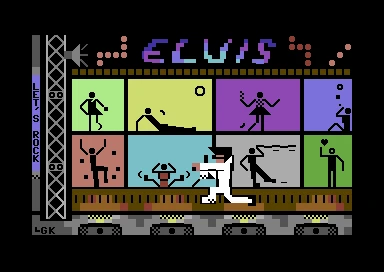
PETSCII "Elvis" graphic by Logiker placed 4th in the
compo
His BASIC one-liner "Downhill Racer" reached 2nd place.
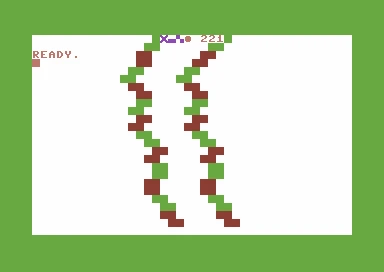
Downhill Racer BASIC one-liner by Logiker placed 2nd
in the compo
Pararaum's "Beach Fader" with PETSCII graphics by Logiker came in at a strong 3rd place (credited to the whole Vintage Computing Carinthia).
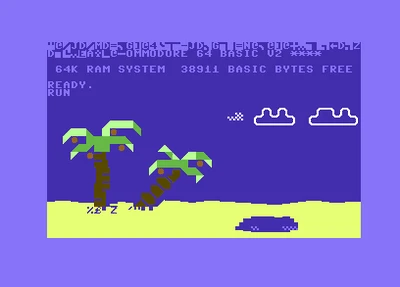
Beach Fader by Pararaum and Logiker placed 3rd in
the compo
My multicolor mode ski jumper graphic placed 14th in the graphics competition.

My ski jumper after The Jump placed 14th in the
compo
You can browse the full list of entries and results on Demozoo.
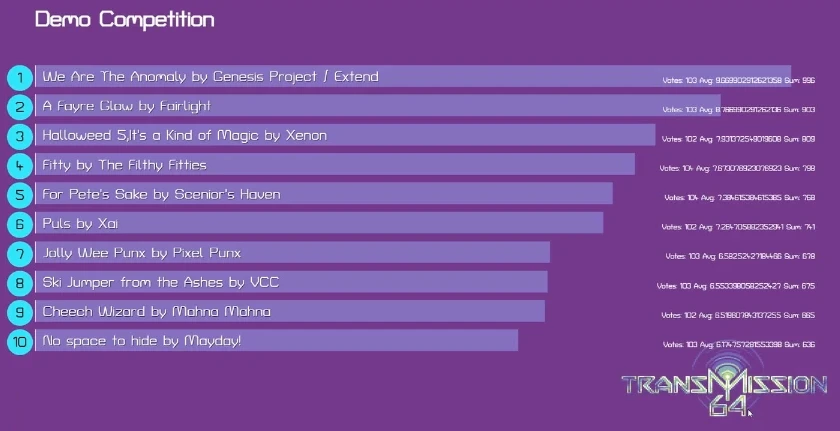
The demo competition results of Transmission64 2025
Two of the demo productions in particular blew me away: We Are The Anomaly by Extend and Genesis Project, which won the demo competition, and A Fayre Glow by Fairlight on second place. I absolutely loved this one. I might have been slightly disappointed that Fairlight only landed on second place, but I respect and cherish both of them. They truly are stunning demonstrations of what's still possible on the C64 in terms of effects, graphics, and sound.
A Fayre Glow (direct link to Youtube)
Reactions, Chat Love, and Gratitude
One of the highlights for me was watching the Twitch chat react to Ski Jumper from the Ashes in real time. The comments were overwhelmingly positive. People picked up on the visual references to Epyx's Winter Games, laughed at the absurdity of our hero flying through space, and praised the SID interpretations of the Terminator theme and "Major Tom." It was a small but very real affirmation our work. Pararaum, Logiker and Wil had hours poured into those pixels and PETSCII screens. They were worth it. I was just in for the ride.
And that's what's important. Transmission64 2025 was simply a lot of fun. Great demos, great music, and a genuinely warm community. Many of the submissions were so good, I could only applaud them while being dumbfounded at how they even managed to be technically made. (Someone even jokingly suggested in the chat that perhaps we should rename the excellent demogroup Fairlight to Unfairlight because they are so good, its unfair.)
I'm deeply grateful to everyone at Vintage Computing Carinthia for inviting me in and letting me contribute to their wonderful work.
Originally, I came in as a zero, but by the end, I left with my first proper C64 demo credit. I'm still a bit surprised and very happy each time I see my demoscene handle Bala-Koala listed in the credits of the demo.
And I'm proud to have finally earned the "Koala" part of my moniker.
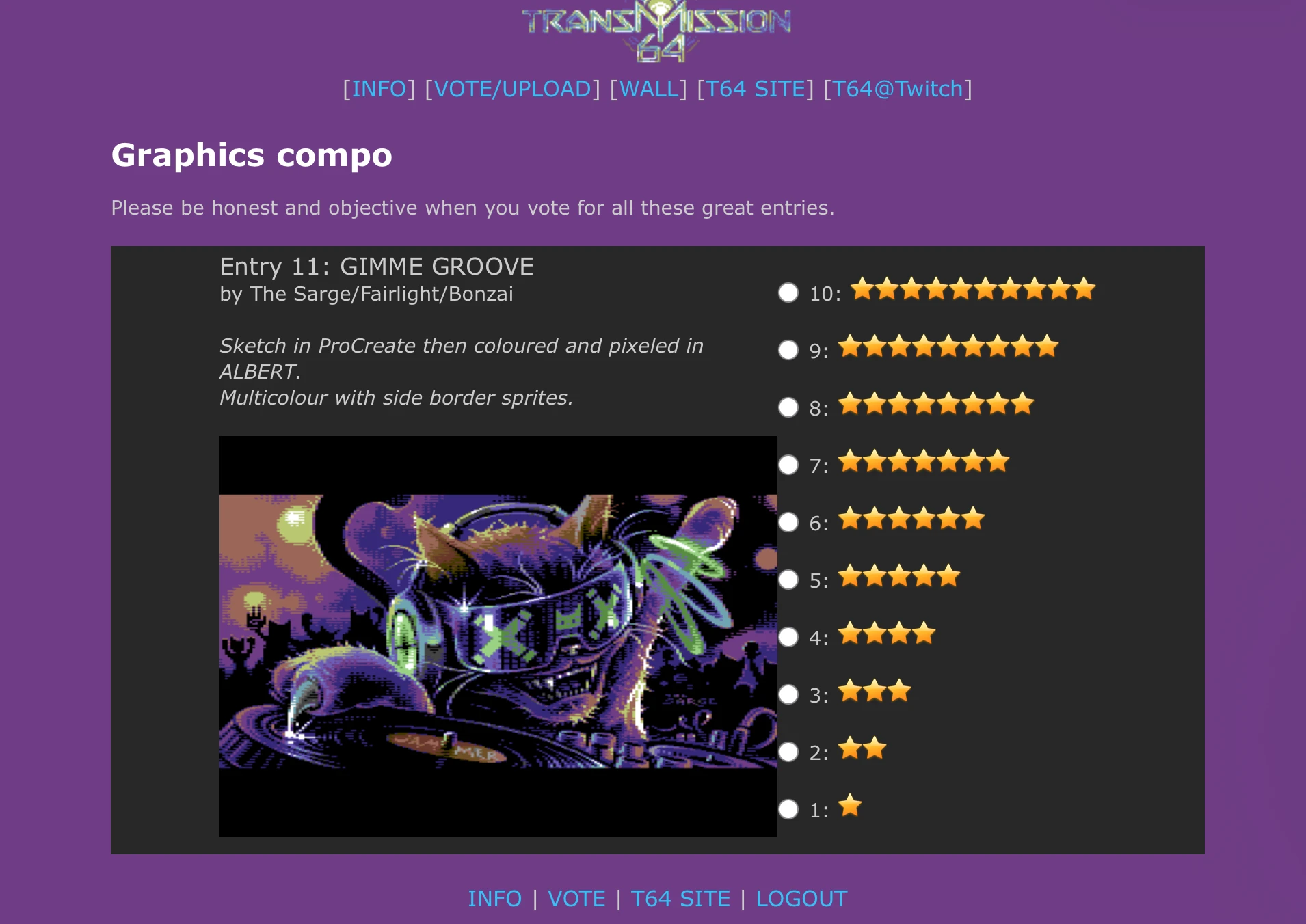
We voted using the XParty system. This was just before I cast
my vote.