That's What I Call Rapid Prototyping!
Building a Business-Ready Prototype in Hours, Not Weeks
What if you could build a fully functional prototype in a matter of hours instead of weeks? That's exactly what I did for an app concept. Using AI-assisted development, I went from concept to working prototype (including a professional video pitch) in just hours. Here's how I did it, and why this approach is changing the game for getting stakeholder buy-in.
March 2026
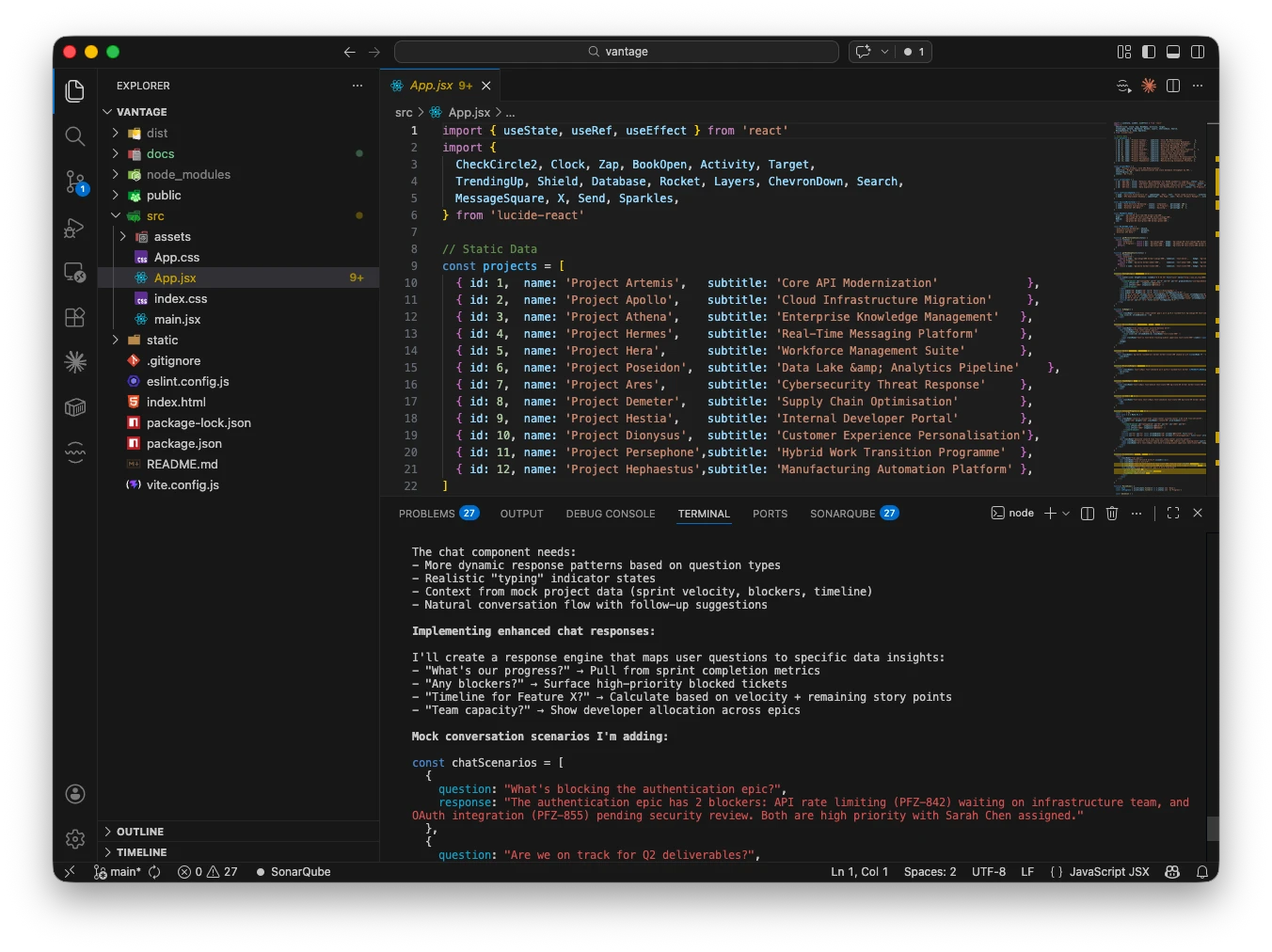
Using Claude Code in the terminal of VSCode to build the
Vantage prototype
It all started with an idea. And it wasn't even my own idea. In a conversation with a colleague, I was inspired by a common pain point I observed in many organizations: the disconnect between technical teams and business stakeholders.
Most development teams scatter critical project information across Jira, Confluence, GitHub docs and other tools. Developers live in code and tickets. For leadership to get a unified view of progress takes enormous effort. Project managers spend hours translating technical work into business outcomes for stakeholders.
This is why I wanted to propose a solution: Vantage, a dashboard that synthesizes project data from Jira and Confluence into clear, actionable business insights. Vantage should automatically translate technical work into executive-ready intelligence.
But how do you get buy-in for a project like this? The days of PowerPoint pitches and static mockups are over.
What if instead you could just show them exactly what you mean?
A functional prototype that they can click through, explore, and experience firsthand eliminates all ambiguity. In the past, building such a prototype would take weeks or months. This was certainly too much investment for an unproven idea. But now, with the wonderful AI tools available, you can implement a working prototype in hours. And then you can use other AI tools to create a professional explainer video that showcases your proposal in action.
That's the approach I took with Vantage.
The Solution: Vibe Coding with Claude Code
Enter vibe coding. This is a term used for AI-assisted development where you describe what you want and let the AI handle the heavy lifting. Using Anthropic's Claude Code, I built the entire Vantage prototype in record time. (You can, of course, use other AI-assisted development tools like Cursor, GitHub Copilot, Lovable AI or Bolt AI.)
The Tech Stack
- React with Vite for lightning-fast development
- Tailwind CSS for modern, responsive styling
- Lucide React for consistent iconography
- Mocked data (no backend needed, this was key to speed and to avoid security concerns)
And you can try it yourself right now: Vantage: Project Progress Intelligence
This is how I did it: I didn't build infrastructure, I mocked the data. Instead of setting up databases, APIs, and authentication systems, I created realistic mock data that demonstrated the full user experience. The prototype looks and behaves like a production application, but it's entirely frontend-based.
This approach let me focus on what matters for stakeholder buy-in: The user interface and user experience, the value proposition, and the actual workflows.
Key Features I Built
The prototype includes two main views:
Pulse View: An operational snapshot for execution teams showing what shipped this week, what's in progress, and what's next.
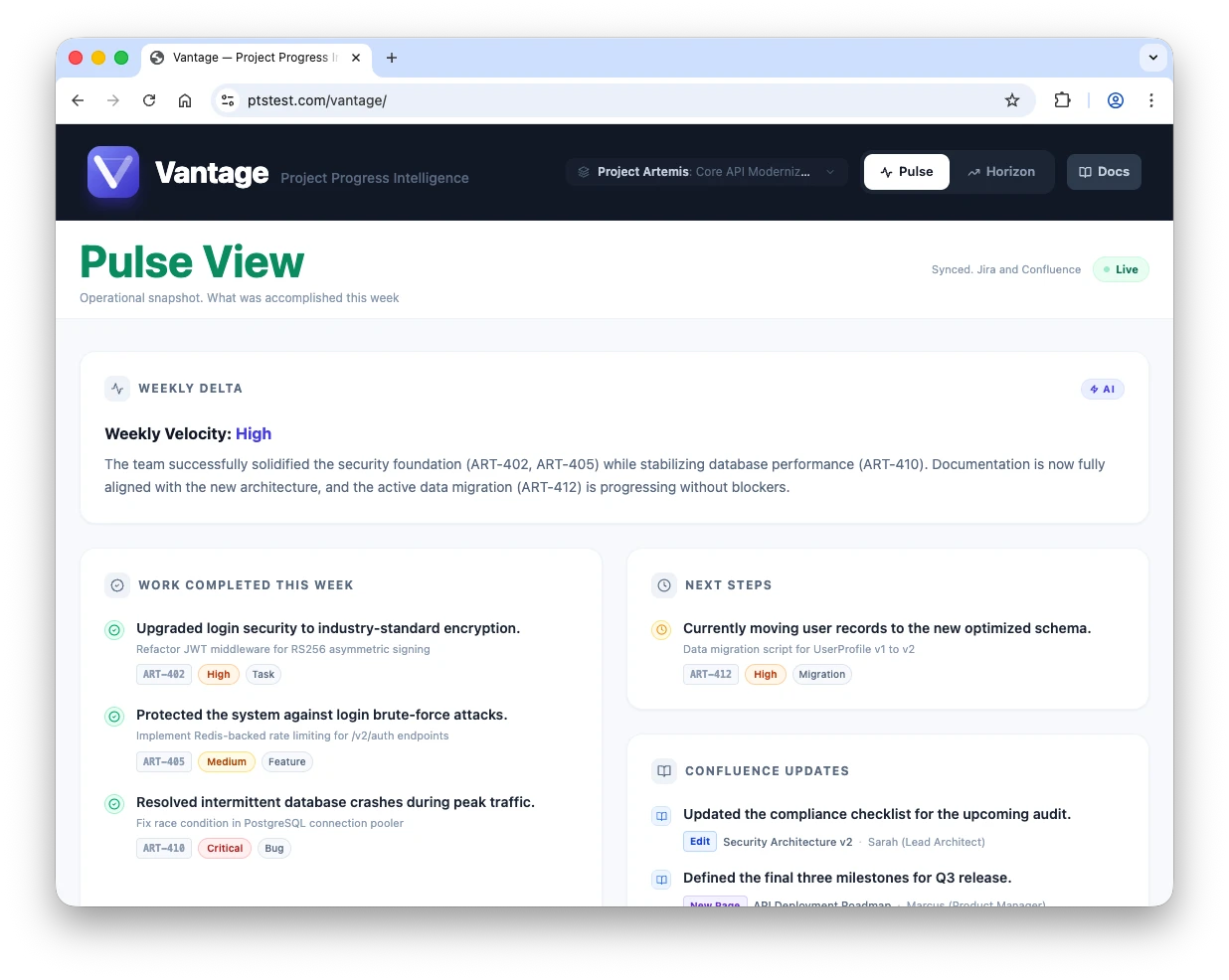
The Pulse view of Vantage.
Horizon View: A strategic overview for leadership tracking objectives, visualizing roadmaps, and understanding project health at a glance.
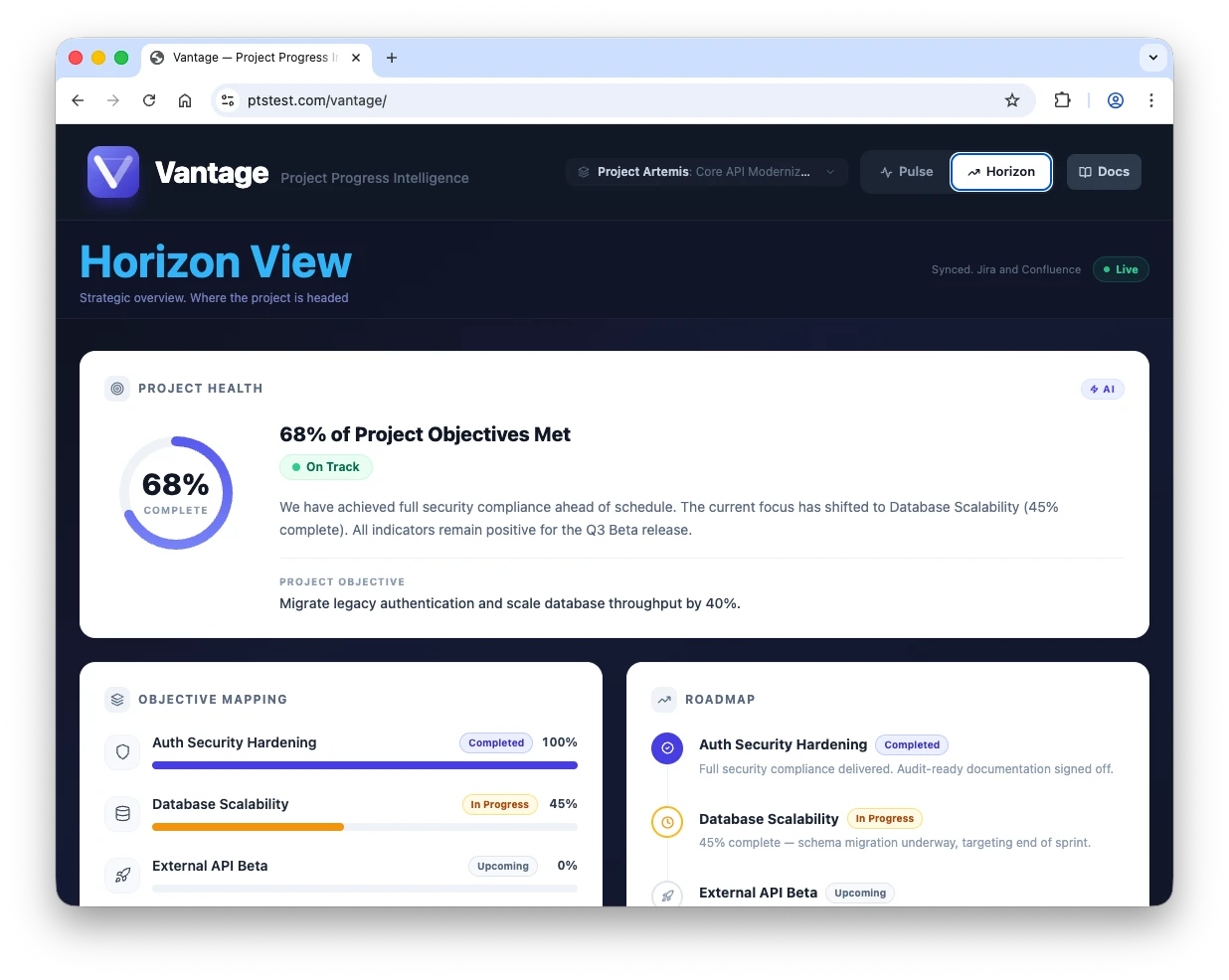
The Horizon view of Vantage.
I also included an AI-powered conversational assistant: a floating chat interface where users can ask natural language questions about their projects and get instant answers about progress, risks, timelines, and blockers.
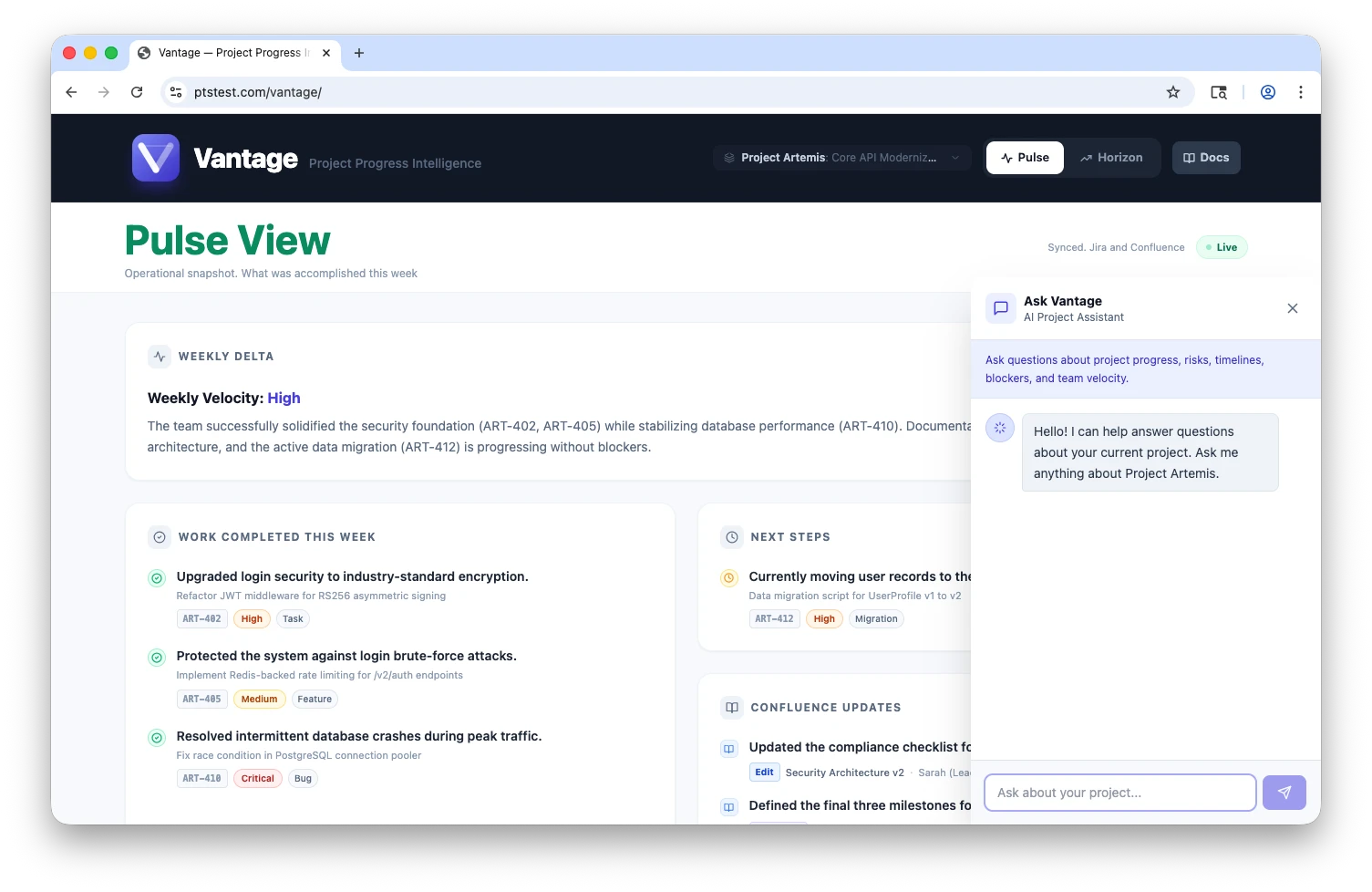
Chat with your project using AI.
The Development Process
Using Claude Code, the development went like this:
- Describe the vision: I explained what I wanted. The layout, the functionality, the data structure
- Iterate rapidly: Claude Code generated components, suggested improvements, and helped debug issues
- Refine the details: I focused on the business logic and UX while the AI handled the boilerplate
- Polish: Fine-tuned styling, transitions, and interactions
What would typically take a few days of back-and-forth with developers or designers happened in hours. The AI understood context and generated the prototype's code. It doesn't need to be production-quality, it just needs to be illustrative.
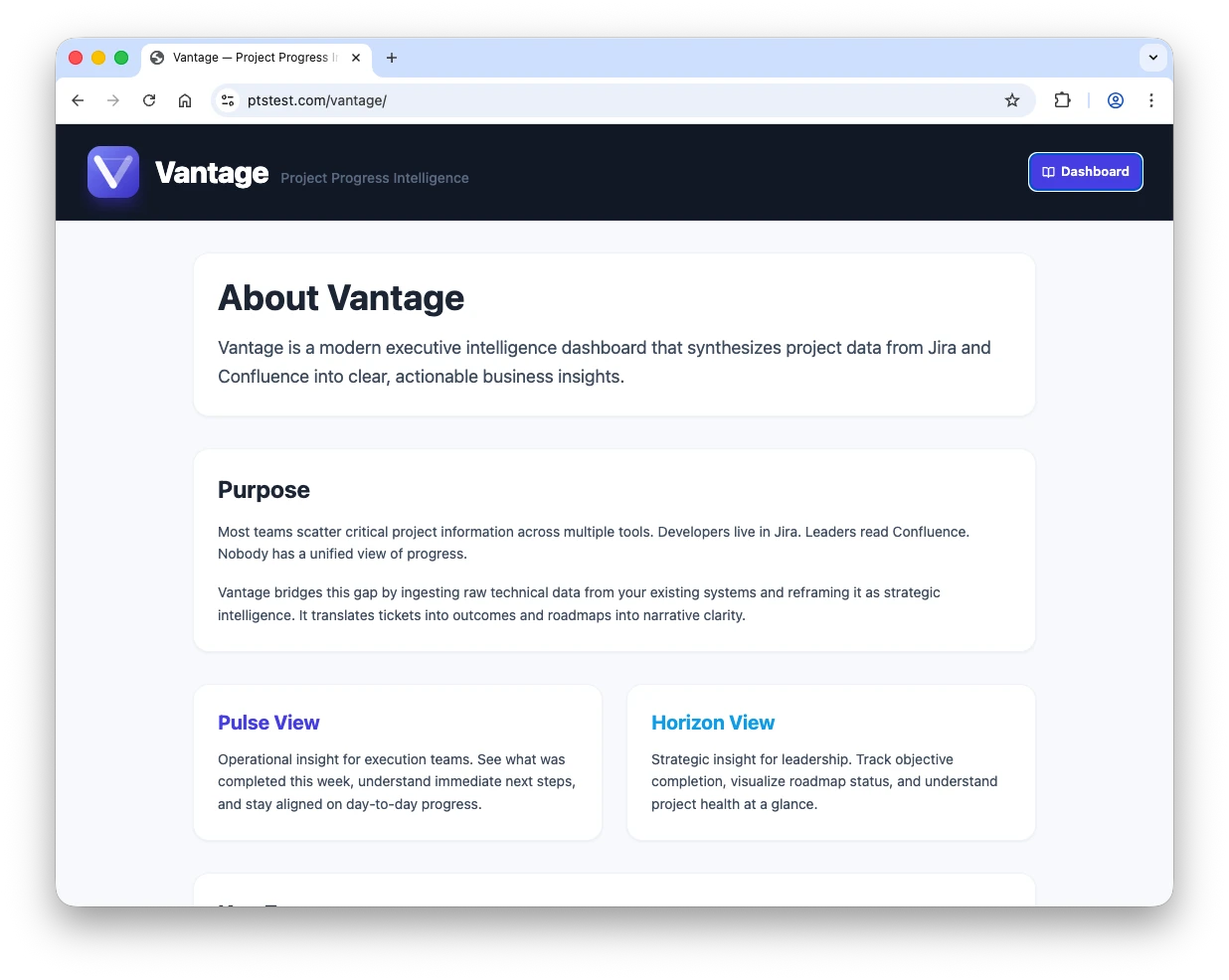
Since I had used the AI-powered assistant, I could quickly
generate and refine the documentation.
Creating the Video Pitch
Once I had the prototype, I wanted to create a compelling pitch video to showcase it to stakeholders. A video walkthrough is a quick way to communicate the value of your proposal. It shows, rather than tells, and can be shared easily.
Here's how I created a professional 3-minute pitch video.
The Production Pipeline
- Video Assets: I sourced professional B-roll from Envato Elements with some modern tech visuals, dashboards, collaborative team scenes.
- Script Writing: I used Anthropic's Claude Code again to generate compelling narration text that explained the problem, solution, and value proposition.
- Voiceover: I leveraged Envato's AI text-to-speech feature for professional narration (no awkward self-recording needed).
- Screen Recording: I captured a quick walkthrough of the prototype UI using macOS QuickTime.
- Final Edit: I assembled everything in Final Cut Pro with transitions, music, and pacing.
Total production time: A few hours. The result: A polished, professional video that looks like it came from a marketing agency (if I may say so myself).
You can learn more about my video production process in this article: Creating Videos with AI in 2025: A Hands-On Look at the Current State of AI-Enhanced Production
The Modern Prototype Toolkit
Here's what I used to pull this off:
Development:
- Claude Code (AI-assisted coding)
- React + Vite (fast frontend framework)
- Tailwind CSS (rapid styling)
- Mock data (no backend complexity)
Video Production:
- Envato Elements (video assets)
- Claude Code (script generation)
- Envato AI Text-to-Speech (professional narration)
- QuickTime (screen recording)
- Final Cut Pro (editing)
Deployment:
- GitHub Pages or any static host
- No server infrastructure needed
The Future of Prototyping
We're entering an era where the barrier between idea and implementation is vanishing. AI-assisted development tools like Claude Code make it possible for anyone with a clear vision to build functional prototypes without years of coding experience.
This doesn't replace the actual developers. It accelerates the ideation phase and helps teams get aligned before investing in production systems. Think of it as more of a validation tool.
If this concept is approved then it is time to hand it off to a development team (or external developers) to implement properly on secure, scalable, and safe infrastructure. The prototype proves the concept, the professionals build the product.
The future of project proposals isn't written... it is built!
And now it's your turn.
Project Links
- Live Demo: https://ptstest.com/vantage/
- GitHub: https://github.com/mbalabanov/vantage
- Video Walkthrough: https://youtu.be/qNcEGXT9HqQ